


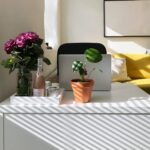







Creating a productive home workspace is essential for anyone working or studying from home. A thoughtful setup not only enhances your focus but also helps maintain a healthy work-life balance. In this post, we’ll explore practical tips to help you create a home workspace that encourages productivity and comfort.
Choose the Right Location
Find a Quiet Spot
Select a space in your home with minimal distractions. This could be a spare room, a corner of your living room, or even a nook near a window. The quieter the space, the easier it will be to focus.
Consider Natural Light
Natural light can lift your mood and boost concentration. Position your desk near a window if possible. If natural light is limited, invest in good quality task lighting that reduces eye strain.
Invest in Comfortable Furniture
Select an Ergonomic Chair
A supportive chair is crucial for long hours of work. Look for one with adjustable height, lumbar support, and comfortable cushioning to prevent back pain.
Use a Proper Desk
Choose a desk with enough surface area to hold your computer, notebooks, and other essentials without clutter. Adjustable desks can be a good option for alternating between sitting and standing.
Optimize Your Desk Setup
Keep Essentials Within Reach
Organize your desk to keep frequently used items—like pens, notepads, and your phone—nearby. This reduces interruptions by eliminating the need to get up repeatedly.
Manage Cables and Electronics
Use cable organizers or clips to keep wires tidy and out of the way. This minimizes mess and prevents accidents like tripping or pulling cords accidentally.
Minimize Distractions
Set Boundaries
If you share your home, communicate your work schedule and workspace boundaries clearly. Consider using a sign or closing the door to signal when you need focus time.
Use Noise-Cancelling Tools
Headphones or white noise machines can help block out background noise. This is especially helpful if you don’t have a dedicated room or live in a busy household.
Organize and Declutter
Create Storage Solutions
Use shelves, drawers, or storage boxes to keep your workspace neat. Assign specific places for documents, supplies, and gadgets to avoid clutter buildup.
Maintain Daily Tidiness
Spend a few minutes at the end of each workday clearing your desk. A clean workspace helps you start the next day fresh and motivated.
Personalize Your Space
Add Comfortable Touches
Incorporate elements that make your workspace inviting, such as a plant, artwork, or a cozy blanket. These small additions can improve mood and creativity.
Avoid Overdecorating
While personalization is good, too many decorations can be distracting. Aim for balance to keep the workspace calming and efficient.
Prioritize Healthy Habits
Take Regular Breaks
Schedule short breaks to stand, stretch, or walk around. This reduces fatigue and supports overall well-being.
Maintain Good Posture
Adjust your chair and monitor so your back is straight and your eyes are level with the screen. Proper posture helps prevent discomfort and long-term health issues.
Use Technology Wisely
Utilize Productivity Tools
Apps for task management, time tracking, or focus enhancement can help you stay organized and on schedule.
Ensure Reliable Internet
A strong, stable internet connection is vital for smooth communication and online work. Consider upgrading your router or switch to a wired connection if needed.
Final Thoughts
Designing a productive home workspace requires a combination of practical organization, comfort, and personalization. By following these tips, you can create an environment that supports your work goals and wellbeing. Remember, the best workspace is one that fits your unique needs and helps you feel motivated each day.